
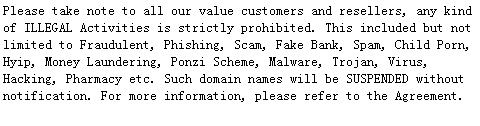
Order Suspension is a useful feature available to Resellers of LovingDomains. Typically, you may need to Suspend domain names in response to abuse complaints or when you haven't received payment towards domain name registration/renewal/transfer services, etc..
-
Suspending a domain name would result in disruption of all services associated with a domain name such web hosting, email hosting, etc..
-
LovingDomains does not support the Suspension / Unsuspension feature for domain names under the following TLDs (extensions), due to restrictions imposed by the Registry:
-
.CA
-
.DE
-
.EU
-
.NL
-
.UK
-
-
The Contact Details and Name Servers of such a domain name can not be modified while a domain name is Suspended.
-
A Transfer (Away) Request for this domain name to another Registrar will fail at the Registry itself and will not be allowed.
However, when you Suspend a .AU domain name, it can still get Transferred since the .AU Registry prohibits blocking Transfers.
-
Domain name Renewal and Deletion would not be possible.
- An Move/Push/Transfer of this domain name to another Customer Account would not be possible in this state.
-
A domain name Suspended by you, can only be Unsuspended by you or LovingDomains.
-
You will not be able to Unsuspend a domain name Suspended by LovingDomains.
-
A Customer can not Unsuspend a domain name under any circumstance.
To Suspend / Unsuspend a Domain Name
-
Login to your Control Panel, search for the domain name you wish to Suspend/Unsuspend and proceed to the Order Details view. See details
-
Here,
-
To Suspend the Domain Name:
-
Click the Lock / Suspend link.
-
Select the Suspend radio button, enter the reason for Suspension and click the Update button.
NoteThe reason for Suspension would be visible to your immediate Sub-Reseller/Customer (depending upon whether the domain name belongs to your Sub-Reseller's Customer or your immediate Customer) in the Order Details view of the domain name, from within their Control Panel.
-
-
To Unsuspend the Domain Name:
-
Click the Unsuspend Order button.
-
select the No Restriction radio button and click the Update button.
-
-