
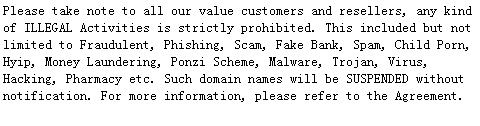
Please take note to all our value customers and resellers, any kind of ILLEGAL Activities is strictly prohibited.
This included but not limited to Fraudulent, Phishing, Scam, Fake Bank, Spam, Child Porn, Hyip, Money Laundering, Ponzi Scheme, Malware, Trojan, Virus, Hacking, Pharmacy etc.
Such domain names will be SUSPENDED without notification.
For more information, please refer to the agreements.

Requesting Refund from LovingDomains

You can easily withdraw excess funds from your Customer Account with LovingDomains by requesting for a refund. You can only withdraw funds from your available Balance under your Customer Account. Also, you may not receive the exact amount you requested as a refund, on account of foreign exchange conversion and bank charges, which may be deducted on this amount, by our bank, as well as yours.

To request a refund

  1. Login to your Customer Control Panel. 1

  2. Point to My Billing and then click Request Refund. You will be displayed Your Current Balance in US Dollars as well as your Local Currency.

  3. Enter the Amount you wish to withdraw.

  4. In the Refund Description field, mention how you want to receive your refund amount. This can be one of the following:

    • Credit Reversal to your Credit Card Account

    • Refund to your PayPal Account, via Wire Transfer or via cheque to your postal address

  5. Click on the Confirm button to send a refund request to our Billing Team.

You can easily withdraw excess funds from your Customer Account with LovingDomains by requesting for a refund. You can only withdraw funds from your available Balance under your Customer Account. Also, you may not receive the exact amount you requested as a refund, on account of foreign exchange conversion and bank charges, which may be deducted on this amount, by our bank, as well as yours.

To request a refund

  1. Login to your Customer Control Panel. 2

  2. Point to My Billing and then click Request Refund. You will be displayed Your Current Balance in US Dollars as well as your Local Currency.

  3. Enter the Amount you wish to withdraw.

  4. In the Refund Description field, mention how you want to receive your refund amount. This can be one of the following:

    • Credit Reversal to your Credit Card Account

    • Refund to your PayPal Account, via Wire Transfer or via cheque to your postal address

  5. Click on the Confirm button to send a refund request to our Billing Team.

  1. 1. Login instructions
  2. 2. Login instructions